










Satisfied Clients
How to Install IPTV South Africa on Your Device
Getting started takes less than 10 minutes. No technical skills needed, no complicated settings, no satellite dish to install. Just pick your device, follow three simple steps, and you'll be streaming live TV, sports, and movies in HD and 4K before your next ad break.
3-Step Process
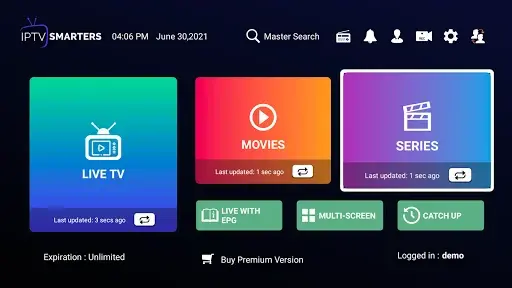
Step 1 : Choose Your App Download your preferred IPTV app on your device. We recommend IPTV Smarters Pro for most users, available free on the Google Play Store and Apple App Store. Prefer something else? We fully support Dev IPTV Pro, Kodi, and Smart IPTV as well.
Step 2 : Log In With Your Credentials After subscribing, you'll receive your login details by email within 15 to 30 minutes. Open your app, enter your username, password, and server URL exactly as provided, and your full channel list loads automatically.
Step 3 : Start Streaming That's it. Browse 97,000+ live channels, explore 45,000+ VOD titles, and enjoy HD and 4K quality streams on any screen in your home.